Make the shipment decision
Which shipment can Maya support before committing money?
A portal listing leaves transportation registration unresolved. Compare the supported shipment response before and after a current scoped confirmation.

Maya must protect a shipment promise before the noon reservation cutoff. Direct costs $4,000 but depends on transportation registration; Backup costs $6,000 and works across the admitted registration states. A portal listing leaves the cheaper option unresolved. A genuine scoped record or a timely verification could change the decision.
Shipment readiness / Articles
Start with the installed business example. The developer continuation and Python example each identify their own case, definition and assumptions.
Make the shipment decision
A portal listing leaves transportation registration unresolved. Compare the supported shipment response before and after a current scoped confirmation.
Screen and continue · CLI + SDK
Use the CLI to find current shipment blockers, then continue the same native case in an SDK-powered desk when a scoped confirmation arrives.
Connect a model · Python SDK
Keep your model in Python. Pass its estimates to Decision Lab’s planning and learning assessments, then bring the findings back into your own application. A shipment example shows the integration in practice.
The link opens Compare first-shipment arrangements with fictional inputs and installs Order fulfillment when needed. Choose Calculate, then read the Decision summary.
Open the first-shipment example
Download a case below and use My cases → Import workflow run to continue the exact comparison. For your changes, use Inputs → Forms, Apply inputs and Recalculate. Supporting reports explains the conditions behind each option.
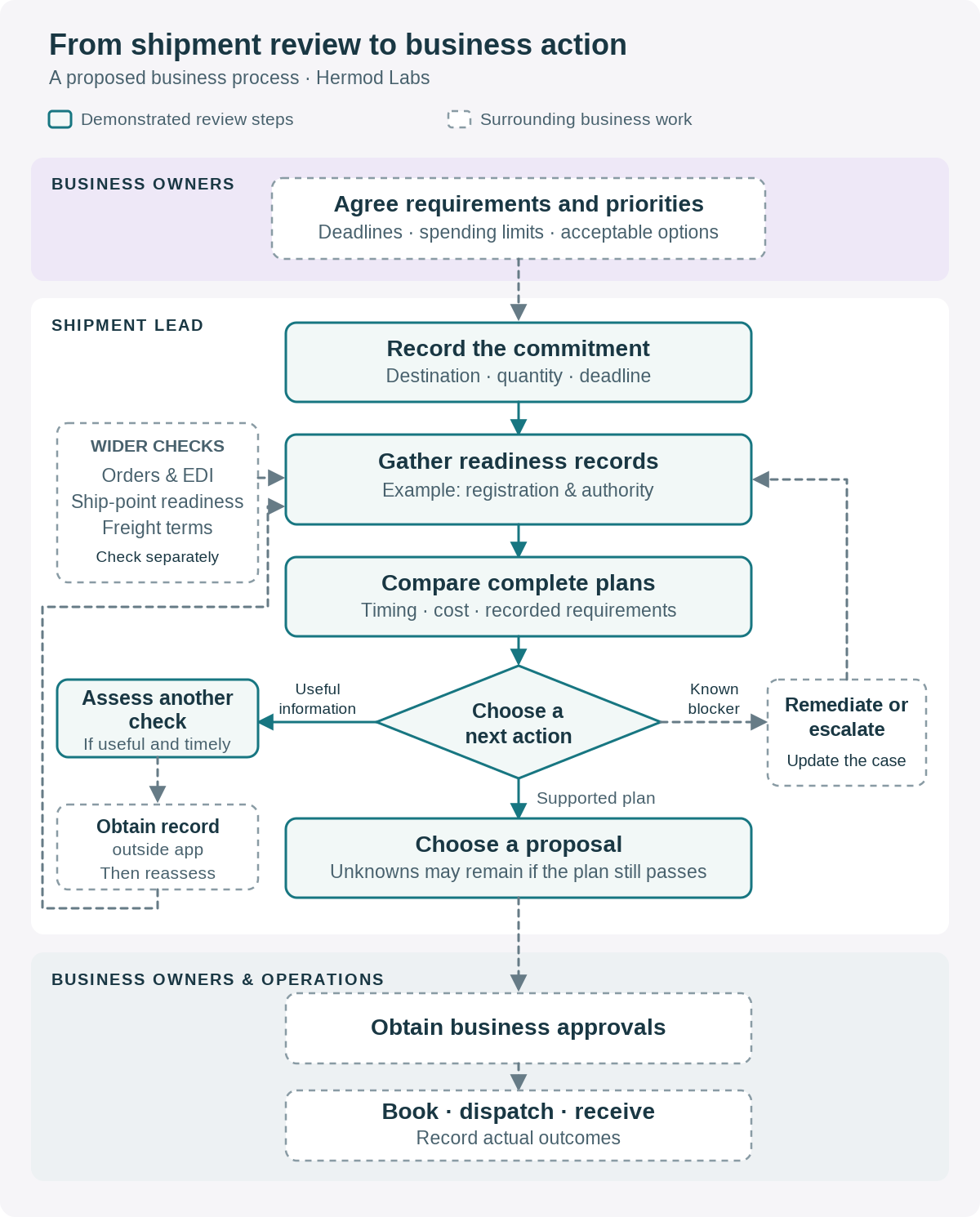
Decision process maps the questions and available responses. The business-process illustration places the calculation within the surrounding approval, reservation and shipment work.
The CLI and SDK continuation uses a separate cost-first operating profile and its own compatible native cases. Its article provides the matched implementation and package references.